Which Console Fits How You Actually Play?
Couch co-op, competitive online, portable gaming, or PC hybrid -- your play style picks the winner.
The console you should buy depends on three things: what games you want to play, how much you want to spend over the next 3-5 years, and whether you want to game on a TV, on the go, or both. Everything else -- teraflops, ray tracing, SSD speeds -- is marketing noise that does not help you make a better decision.
Answer three questions about your play style and this guide will match you to a specific console and accessories. Each recommendation includes honest pros and cons so you know exactly what you are getting and what you are giving up.
Not sure which platform is right? Start with our PS5 vs Xbox vs Switch 2 vs Steam Deck comparison for a deep dive on exclusives, performance, and online services. Want to understand the full cost beyond the sticker price? See The Real Cost of a Gaming Setup. And before you buy, read 5 console buying mistakes that waste money. Already know what you want? Check when console prices drop lowest.
How This Guide Works
We organized recommendations by gamer type, not by spec sheet. Answer three questions and you will have a specific shopping list for your console, controller, and accessories.
Question 1: What Games Do You Want to Play?
Story-Driven Single-Player Games
If you gravitate toward narrative experiences -- games like The Last of Us, God of War, Spider-Man, Horizon, or Final Fantasy -- the PlayStation 5 is the clear choice. Sony's first-party studios produce the highest-rated single-player games in the industry, and the DualSense controller's haptic feedback adds a physical dimension that genuinely enhances immersion. No other platform comes close for this genre.
A Little of Everything (Variety Gamer)
If you play across genres -- action, RPGs, shooters, sports, indie games -- and value having the most options for the least money, the Xbox Series X with Game Pass is the smartest investment. Game Pass includes hundreds of games across every genre, and every first-party Microsoft title launches on day one. You trade elite exclusives for volume and value.
Nintendo Franchises and Local Multiplayer
If Mario, Zelda, Pokemon, Animal Crossing, or Smash Bros are essential to you, the Nintendo Switch 2 is the only option -- these games exist nowhere else. The Switch 2 is also the best platform for local multiplayer. The detachable Joy-Cons create instant two-player gaming without buying extra controllers.
PC Games and Indie Titles
If you want access to the largest game library in existence -- over 50,000 titles including PC exclusives, indie games, and decades of back catalog -- the Steam Deck is your platform. No subscription fees. Steam sales deliver the deepest discounts in gaming. The trade-off is a learning curve and the fact that not every PC game is optimized for handheld play.
VR and Mixed Reality
If you want to experience virtual reality gaming, the Meta Quest 3S is the most accessible entry point. It requires no PC, no phone, and no wires. The standalone design means you can play anywhere with enough room to move. The VR game library is growing rapidly, and it also connects to a PC for high-end PCVR experiences.
Question 2: What Is Your Budget?
Under $350 (Entry Level)
Two strong options: the Xbox Series S ($300) or the Meta Quest 3S ($300). The Series S is a capable current-gen console that plays the same games as the Series X at lower resolution (1440p vs 4K). Paired with Game Pass, it is the cheapest way into current-gen gaming. The Meta Quest 3S is the cheapest way into VR gaming, period.
$400 to $550 (Mid-Range)
This is where all four major platforms live. The Nintendo Switch 2 ($450), PS5 ($500), Xbox Series X ($500), and Steam Deck OLED ($549) are all in this range. Your choice should be driven by game preferences and play style (see Question 1), not by the $50-$100 price difference between them.
Over $550 (Premium Setup)
Adding a premium controller (Xbox Elite at $130 or DualSense at $75 for a second controller), a charging dock, and a headset pushes total investment to $700-$800. See our full cost breakdown for what a complete gaming setup actually costs over 3 years.
Question 3: Where Do You Play?
Living Room TV Only
PS5 or Xbox Series X. Both are designed for the big-screen experience with 4K output, surround sound, and the most powerful hardware. If you never game away from your TV, portability is irrelevant and raw power matters more.
On the Go (Commute, Travel, Bed)
Nintendo Switch 2 or Steam Deck. The Switch 2 is lighter, has a kickstand, and detachable controllers for two-player portable gaming. The Steam Deck is heavier but plays a vastly larger library of more demanding games.
Both TV and Portable
The Nintendo Switch 2 is designed exactly for this. Dock it for 4K TV play, undock it for 1080p portable play. The Steam Deck can also connect to a TV via USB-C dock but was designed primarily as a handheld.
Quick-Match Summary
| Your Play Style | Our Pick | Why It Fits |
|---|---|---|
| Best overall console | PlayStation 5 Slim | Best exclusives, DualSense, disc drive |
| Best value with Game Pass | Xbox Series X | Hundreds of games included, day-one releases |
| Families and portability | Nintendo Switch 2 | Hybrid portable/TV, best family games |
| PC gamers, biggest library | Steam Deck OLED | 50,000+ Steam games, no subscription |
| VR gaming entry point | Meta Quest 3S | Standalone VR, no PC required, $300 |
| Best controller | PS5 DualSense | Haptic feedback, adaptive triggers, PC compatible |
| Premium competitive controller | Xbox Elite Series 2 | 40-hour battery, hair triggers, swappable parts |
| Budget console | Xbox Series S | Cheapest current-gen, full Game Pass access |
What We Recommend
Based on our research, these are our top picks. Prices change frequently -- click through to see the latest.
- 1.PlayStation 5 Slim (Disc Edition) -- Gamers who prioritize story-driven single-player experiences. Anyone who wants the strongest exclusive game library. Players who value physical media and used game savings.
- 2.Xbox Series X -- Variety gamers who play across genres and want the most games for the least money. Players with large Xbox or Xbox 360 back catalogs. Anyone who values Game Pass day-one releases over buying games individually.
- 3.Nintendo Switch 2 -- Families with children who want the best local multiplayer and family-friendly games. Gamers who play on the go as much as on a TV. Anyone who considers Mario, Zelda, or Pokemon essential.
- 4.Steam Deck OLED 1TB -- PC gamers who want their Steam library on the go. Budget-conscious gamers who want the cheapest long-term gaming cost. Tech-savvy users who appreciate an open platform with full customization.
- 5.Meta Quest 3S -- Anyone curious about VR who wants the lowest barrier to entry. Fitness gamers who want active gaming experiences. Social gamers interested in VR multiplayer worlds.
- 6.PS5 DualSense Wireless Controller -- PS5 owners who need a second controller. PC gamers who want the most innovative controller available. Anyone who values tactile immersion in gaming.
- 7.Xbox Elite Wireless Controller Series 2 -- Competitive gamers who want every edge in shooters and fighting games. Xbox or PC gamers who want the longest battery life. Players who want fully customizable controller layout and tension.
- 8.Xbox Series S -- Budget-conscious gamers who want current-gen gaming at the lowest price. Parents buying a first console for kids. Anyone who wants a second console for a bedroom or dorm room.
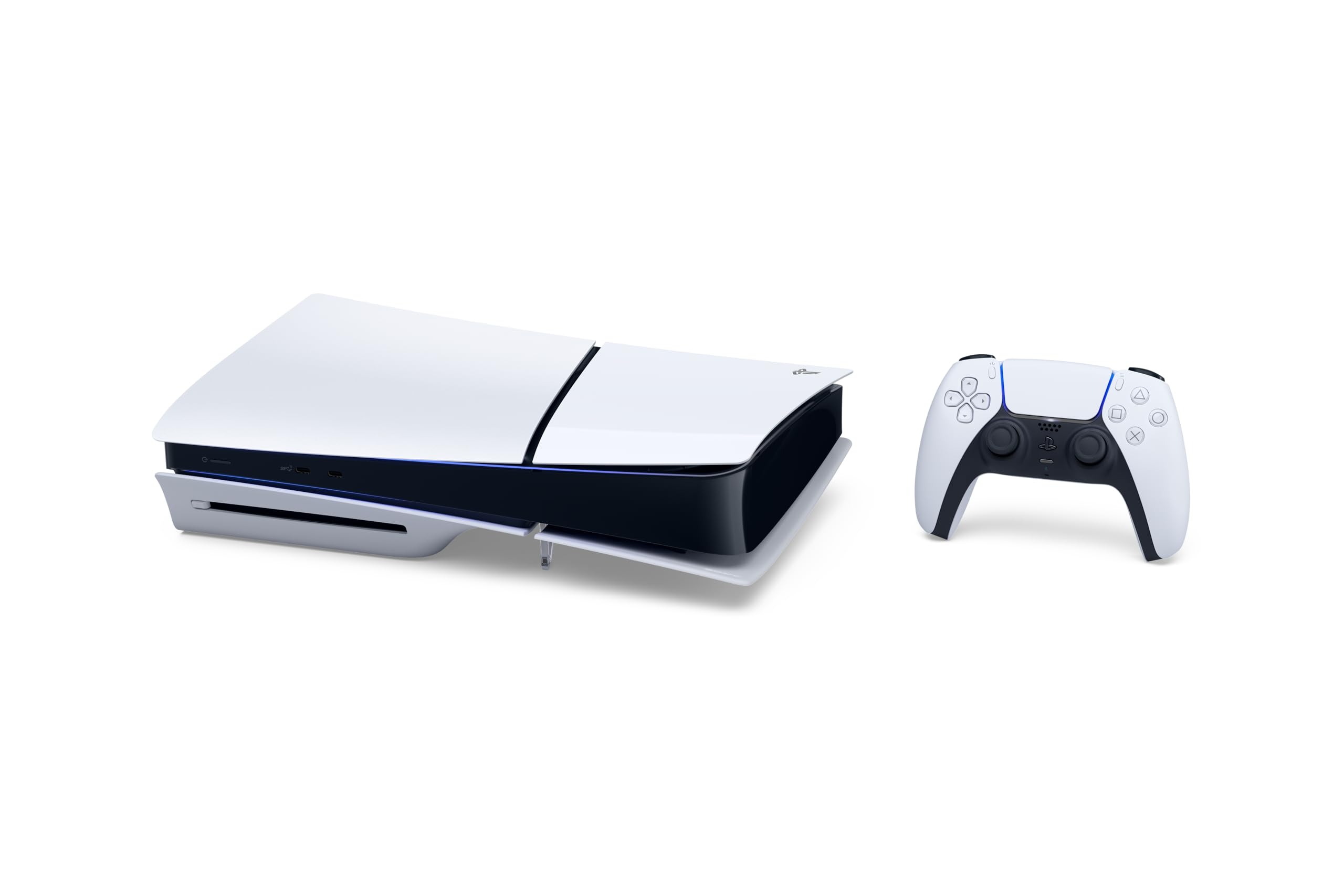
PlayStation 5 Slim (Disc Edition)
1TB SSD, 4K gaming, ray tracing, disc drive, DualSense controller. The PS5 Slim is the refined version of Sony's flagship console with a smaller form factor, 1TB storage (up from 825GB), and the same powerful hardware. The disc drive lets you buy used games, play 4K Blu-rays, and avoid being locked into the PlayStation Store. The DualSense controller's haptic feedback and adaptive triggers are genuinely innovative -- you feel rain, tension, and terrain in a way no other controller delivers.
Pros
- Best exclusive game library: Spider-Man, God of War, Horizon, The Last of Us
- 4K ray tracing with fast SSD loading that virtually eliminates load screens
- DualSense haptic feedback is genuinely innovative -- a generation ahead of competitors
- Disc drive enables used games at 30-60% off and 4K Blu-ray playback
- 1TB SSD provides enough storage for 10-15 games without expansion
Cons
- $500 is the highest entry price among current-gen consoles
- Online multiplayer requires PS Plus subscription ($60-$80 per year)
- First-party games cost $70 at launch and rarely discount quickly
- Fewer day-one subscription offerings compared to Xbox Game Pass
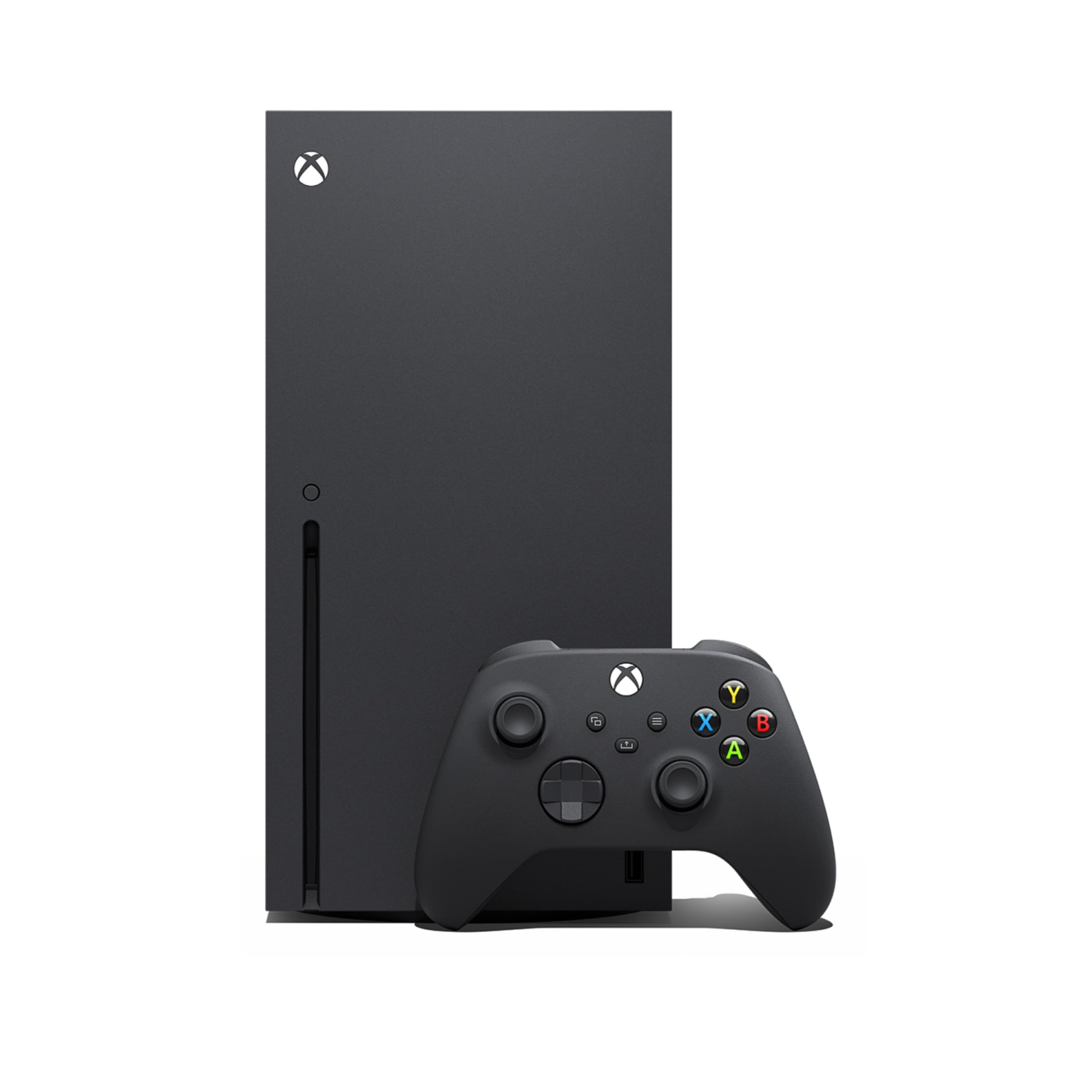
Xbox Series X
1TB SSD, 4K gaming, ray tracing, backwards compatible across four Xbox generations, and deep Game Pass integration. The Series X matches the PS5 in raw hardware but differentiates on value -- Game Pass Ultimate includes hundreds of games, day-one first-party releases, and online multiplayer for $17/month. The backward compatibility library spans original Xbox through Xbox One, meaning decades of games run on this hardware.
Pros
- Game Pass Ultimate ($17/mo) includes hundreds of games with day-one first-party releases
- Best backward compatibility in gaming -- plays original Xbox through Xbox One titles
- Native 4K and 120fps capable with Smart Delivery for automatic best-version downloads
- Quick Resume lets you switch between multiple games instantly without losing progress
Cons
- Weaker exclusive lineup compared to PlayStation 5 in critical reception
- Console is physically very large and heavy
- Game Pass price has increased significantly over the past two years
- Fewer Japanese RPGs and narrative-focused exclusive games

Nintendo Switch 2
7.9-inch 1080p screen, 4K docked output, hybrid portable and TV console, backwards compatible with all Switch 1 games. The Switch 2 is the only console that seamlessly transitions between handheld and TV play. The improved 1080p portable screen is a massive upgrade from the original Switch's 720p. Detachable Joy-Con controllers enable instant local multiplayer without buying extra controllers. Backward compatibility with the entire Switch 1 library means your existing games carry forward.
Pros
- Hybrid design plays on TV (4K) or in your hands (1080p) seamlessly
- Best family and local multiplayer games -- Mario, Zelda, Pokemon, Smash Bros
- Backward compatible with all Switch 1 games, preserving your existing library
- Detachable Joy-Cons create instant two-player gaming without extra controllers
- Improved 1080p portable screen is a massive upgrade from the original 720p
Cons
- Less raw processing power than PS5 or Xbox Series X
- Online infrastructure is weaker -- voice chat still requires a phone app
- First-party Nintendo games rarely go on sale even years after release
- Nintendo Switch Online has fewer features than PS Plus or Game Pass
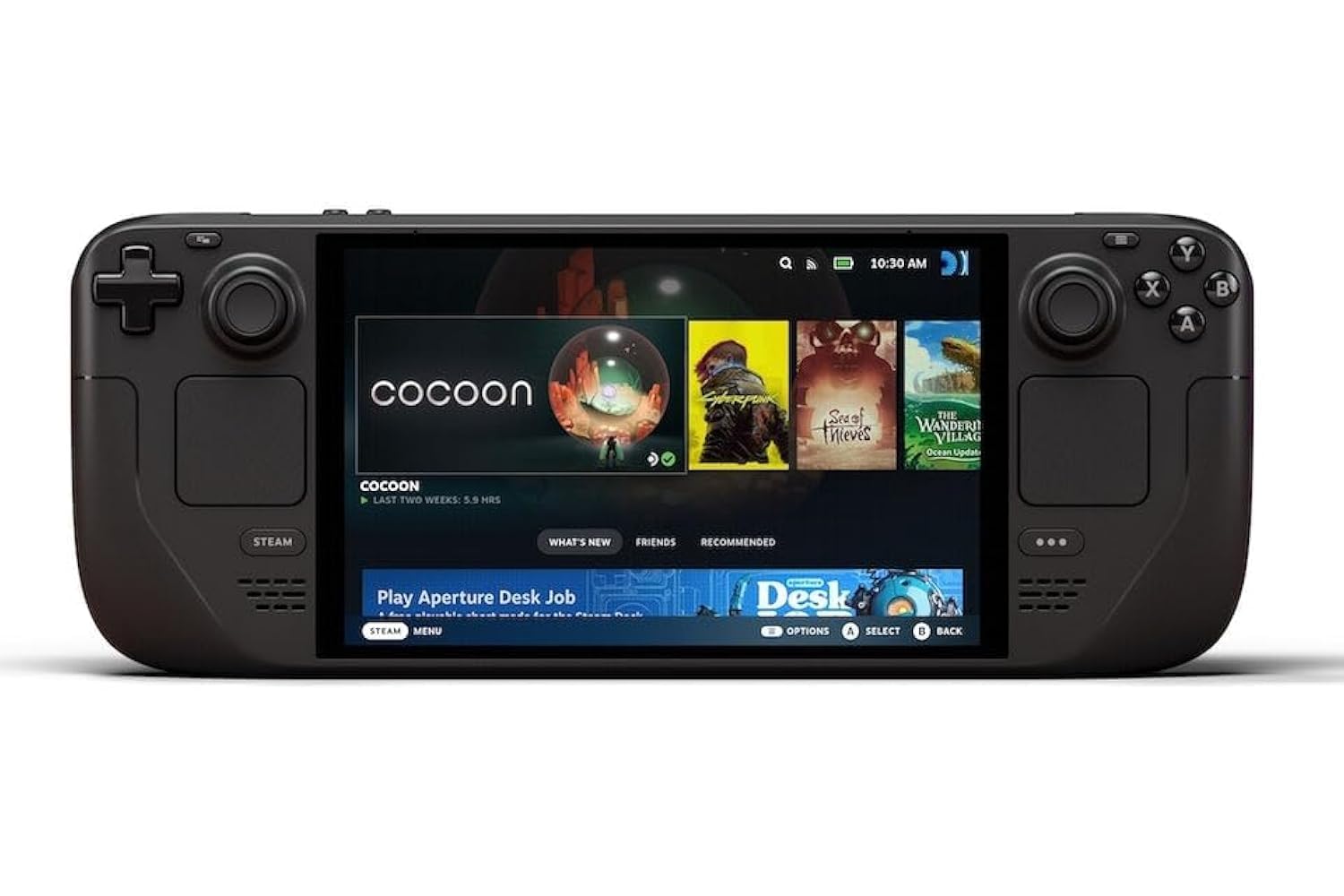
Steam Deck OLED 1TB
7.4-inch HDR OLED display, 1TB NVMe SSD, custom AMD APU, Wi-Fi 6E. The Steam Deck OLED runs the full Steam library -- over 50,000 games -- without any subscription. The HDR OLED display makes games look better than the 800p resolution suggests. Steam sales deliver the deepest discounts in gaming, routinely offering 50-85% off. It is the most open platform: install any software, emulate retro games, or use it as a portable Linux PC.
Pros
- Access to the entire Steam library of 50,000+ games with no subscription required
- HDR OLED display is stunning -- makes 800p look far better than expected
- Steam sales deliver the cheapest game prices in gaming (50-85% off routinely)
- Most open platform: install any software, emulators, or use as a portable PC
- 1TB NVMe SSD and Wi-Fi 6E for fast downloads and large game storage
Cons
- Larger and heavier than the Nintendo Switch 2 -- less pocketable
- Not all PC games are optimized for handheld play -- some require tinkering
- Battery life varies from 2-8 hours depending on game demands
- Learning curve for less technical users compared to traditional consoles

Meta Quest 3S
Standalone VR and mixed reality headset with 128GB storage, Snapdragon XR2 Gen 2 processor, and color passthrough cameras. The Quest 3S requires no PC, phone, or external sensors -- everything is self-contained. Put it on, set your play boundary, and start gaming in under a minute. Color passthrough enables mixed reality games that blend virtual objects with your real room. It also connects to a PC via USB-C or Air Link for high-end PCVR experiences.
Pros
- No PC or phone required -- completely standalone VR and mixed reality
- Color passthrough enables mixed reality games blending virtual and real worlds
- Most affordable current-gen VR headset at $300
- Growing game library with exclusive VR titles and fitness applications
- Can connect to a gaming PC for high-end PCVR experiences via Air Link
Cons
- Comfort requires an aftermarket head strap for sessions longer than 30 minutes
- 128GB storage fills up fast -- VR games are large
- Meta account required for setup and use
- Some users experience motion sickness, especially in first few sessions
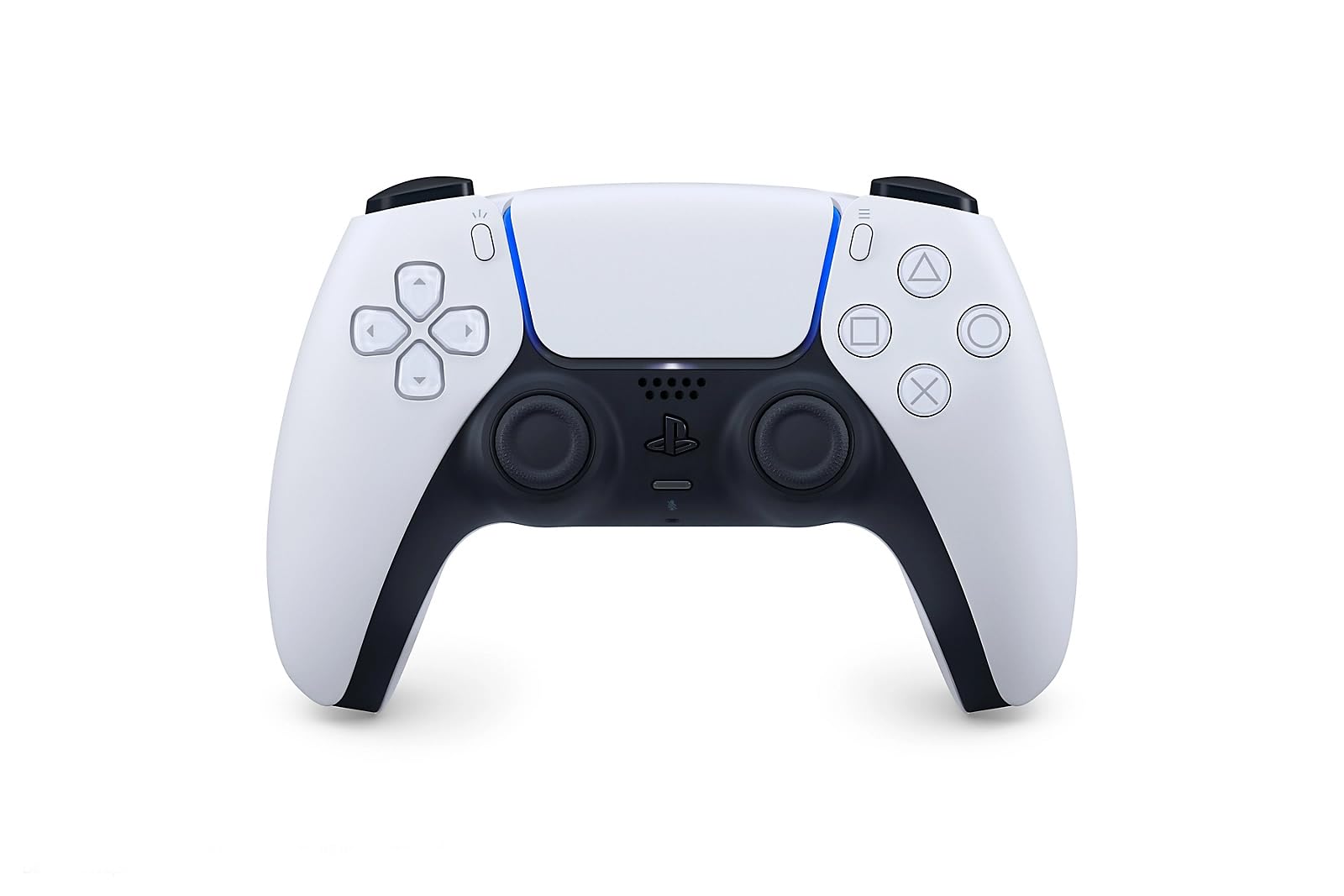
PS5 DualSense Wireless Controller
Haptic feedback, adaptive triggers, built-in microphone, USB-C charging, compatible with PS5 and PC. The DualSense is not just an incremental upgrade -- it is a generational leap in controller technology. Haptic feedback creates precise physical sensations (rain, sand, metal) through the controller. Adaptive triggers resist your pull with variable tension, simulating bowstrings, brake pedals, and weapon mechanisms. The built-in microphone enables quick voice chat without a headset.
Pros
- Haptic feedback and adaptive triggers are a generation ahead of any competitor
- Built-in microphone for quick voice chat without needing a headset
- USB-C charging is universal and convenient
- Works with both PS5 and PC for cross-platform use
- Multiple color options available
Cons
- Battery life is shorter than Xbox controller at 6-12 hours versus 40+ hours
- Adaptive trigger springs can wear with heavy use over time
- Premium price at $75 for a standard controller
- Haptic features drain battery faster when enabled
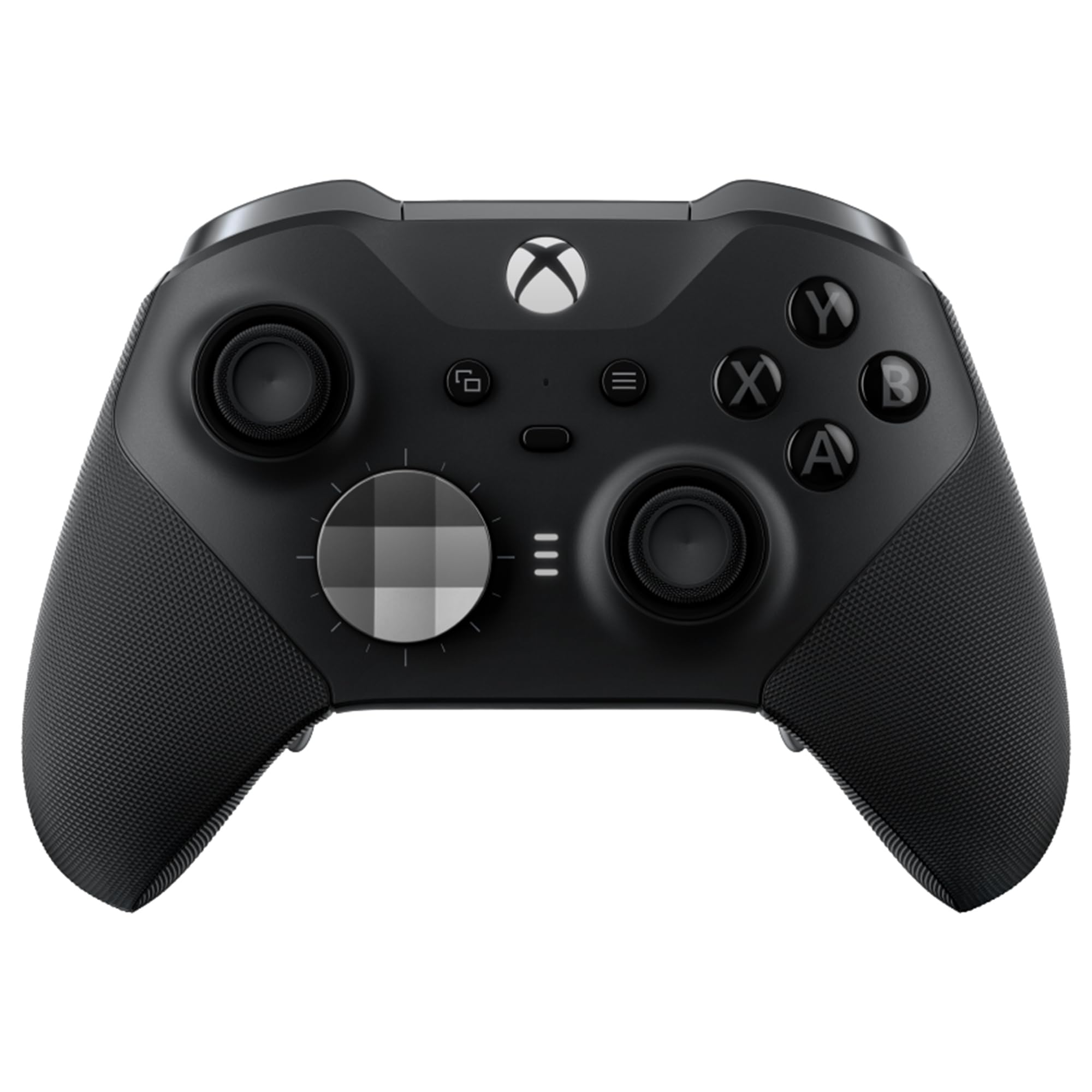
Xbox Elite Wireless Controller Series 2
Adjustable-tension thumbsticks, shorter hair trigger locks, wrap-around rubberized grip, 40-hour rechargeable battery. The Elite Series 2 is designed for competitive gamers who want every advantage. Hair trigger locks reduce trigger pull distance for faster firing. Adjustable thumbstick tension lets you tune sensitivity. Swappable D-pads and thumbstick tops let you customize the physical layout. The 40-hour battery is 3-6x longer than the DualSense.
Pros
- 40-hour rechargeable battery outlasts every other controller by a wide margin
- Adjustable thumbstick tension for personalized sensitivity
- Hair trigger locks reduce pull distance for competitive advantage
- Swappable D-pad and thumbstick components for customized layout
- Works with both Xbox and PC natively
Cons
- Expensive at $130 even at the discounted Core price
- Documented durability issues with bumpers and rubber grips over time
- Warranty is only 90 days on accessories -- shorter than expected at this price
- No haptic feedback or adaptive triggers like the DualSense
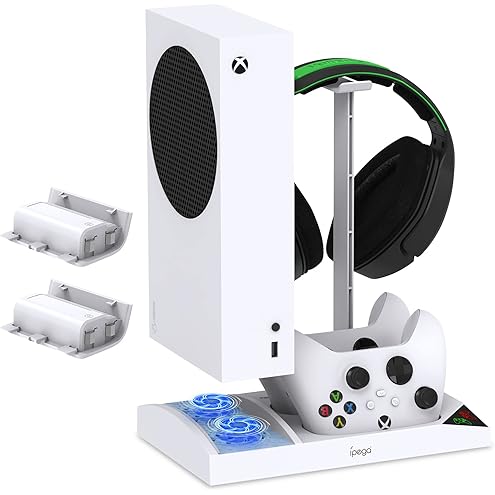
Xbox Series S
512GB SSD, digital only, 1440p gaming, full Game Pass access, compact and quiet design. The Series S is the cheapest current-gen console and the easiest way into modern gaming. It plays the same games as the Series X at lower resolution (1440p vs 4K) and with some reduced graphical settings. Paired with Game Pass, you have access to hundreds of games immediately for $11-$17/month. The compact design fits anywhere and runs nearly silent.
Pros
- Cheapest current-gen console at $300 -- lowest barrier to entry
- Compact and quiet design fits anywhere, including a bedroom or dorm
- Full Game Pass access with same game library as Series X
- Same Quick Resume and Smart Delivery features as Series X
- Perfect as a second console for a bedroom, kids room, or travel
Cons
- No disc drive -- you are locked into digital purchases only
- 512GB SSD fills up fast -- expect to manage storage actively
- Targets 1440p, not 4K -- some games have noticeably reduced settings
- No 4K Blu-ray playback
- Some cross-gen games have performance compromises on Series S
Frequently Asked Questions
What is the best gaming console for a beginner?
Xbox Series S ($300) with Game Pass ($11-17/month). It is the cheapest entry point with the largest game library via subscription. You can try hundreds of games without buying any individually, which is perfect for discovering what types of games you enjoy. If you specifically want Nintendo games (Mario, Zelda), the Switch 2 is the only option.
Which console has the best controller?
The Xbox controller is the most universally liked for its ergonomic shape and compatibility with PC. The PlayStation DualSense has the most innovative features (haptic feedback and adaptive triggers that add immersion). The Switch Pro Controller is comfortable but basic. Personal hand size and grip style matter -- try holding each before deciding if possible.
Should I buy the PS5 or Xbox Series X?
PS5 if exclusive single-player games matter to you (God of War, Spider-Man, Horizon). Xbox if Game Pass value matters (play hundreds of games for $17/month) or if you also game on PC (Xbox and PC share a library). If you have no ecosystem preference, PS5 has the stronger exclusive lineup. If you want the best deal per game played, Xbox with Game Pass wins.
What console should I buy for my kids?
Nintendo Switch 2 for younger kids (ages 5-12): the game library is overwhelmingly family-friendly, local multiplayer is built into every Nintendo game, and the portable design works on car trips. For older kids (ages 12+), Xbox Series S with Game Pass provides the best value with robust parental controls.
Do I need a 4K TV for a PS5 or Xbox?
No. Both consoles output 1080p and look great on any modern TV. A 4K TV unlocks higher-resolution graphics, and a 120Hz TV enables smoother gameplay in supported titles. But you do not need to buy a new TV for a new console. The PS5 and Xbox Series X look noticeably better on 4K than 1080p, but the standard PS5 experience on a 1080p TV is still excellent.
How long does a console generation last?
Typically 6-8 years. The PS5 launched in 2020, and the PS6 is expected around 2028-2029. Buying a console mid-generation (2024-2026) still gives you 3-5 years of new game releases before the next generation arrives. You are never "too late" to buy into a current generation -- the game library is at its peak mid-cycle.
Is a gaming PC better than a console?
A gaming PC offers better graphics, more games, and mod support, but costs $800-1,500 for an equivalent experience (vs $300-500 for a console). PCs require more technical knowledge and ongoing maintenance. Consoles offer a simpler, cheaper plug-and-play experience. If your budget is under $500, a console is the clear choice. If you also need a computer for work/school, a gaming PC can serve dual purposes.
Not sure where to start?
Follow the path that matches where you are in your decision. Each guide builds on the last.
You can start at any stage. Each article stands on its own, but reading in order gives you the full picture. Want to know when prices drop? See our Best Time to Buy a Gaming Console pricing calendar.
Continue Reading
PS5, Xbox, Switch 2, or Steam Deck: Cut Through the Console War
Four platforms, four philosophies. Pick based on what you play, not what the internet argues about.
14 min readA $500 Console Costs $2,000 Over Three Years
Subscriptions, games, controllers, headsets, and the upgrade cycle nobody budgets for.
12 min readThe Console Purchase Mistakes Gamers Discover Too Late
Buying at launch, ignoring the subscription math, and three other errors that cost more than a game.
11 min readNever Miss the Best Price
Get buying guides and deal alerts timed to when prices actually drop lowest.
Get Monthly Deal Alerts