12 WFH Desk Upgrades That Are Actually Worth It (Total: Under $340)
The complete work-from-home desk upgrade for less than a single Herman Miller armrest
Here's the dirty secret of working from home: your setup matters more than your discipline. You can have all the productivity apps in the world, but if your back hurts by 2pm, your cables are a tangled disaster, and your Zoom lighting makes you look like you're in witness protection — you're fighting an uphill battle.
We put together the complete WFH desk upgrade: 12 products that cover every pain point, from ergonomics to cable chaos to bad lighting. The total for all 12? Under $340. That's less than a single armrest on a Herman Miller chair.
Every product here was chosen because remote workers specifically and repeatedly recommend it. Not tech reviewers. Not sponsored influencers. Actual people who sit at a desk 8 hours a day, 5 days a week, and have tried enough stuff to know what actually makes a difference.
You don't need all 12. But you'll probably want all 12.
How to Prioritize Your Desk Upgrades
Start With Your Body
If your back hurts, your wrists ache, or you're getting headaches, fix that first. The seat cushion, lumbar pillow, footrest, and wrist rest address the physical problems that compound over months and years. A $30 lumbar pillow now is cheaper than a $300 chiropractor visit later. Ergonomics aren't luxury — they're maintenance.
Then Fix Your Screen Setup
If you're looking down at a laptop on a flat desk, your neck is paying the price. A monitor arm or riser elevates your screen to eye level, which is the single biggest ergonomic improvement most people can make. The difference is immediate and dramatic. If you use a monitor, get the arm. If you use a laptop, get the riser.
Clean Up the Chaos
Cable management and desk organization sound boring until you do them. A clean desk surface genuinely reduces mental clutter and makes you feel more in control of your workday. The under-desk cable tray and monitor riser with drawers handle this in about 20 minutes of setup.
Upgrade Your On-Camera Presence
If you're on video calls regularly, lighting is everything. A clip-on ring light is the cheapest way to look dramatically more professional on Zoom. It's the difference between looking like a competent professional and looking like you're calling in from a cave. Under $14 for an instant upgrade.
The Budget Math
All 12 products total under $340. But you don't have to buy them all at once. Start with 2-3 that address your biggest pain points, then add over time. If you pick just the seat cushion, monitor arm, and desk lamp ($101 total), you'll fix 80% of most people's WFH problems for about a hundred bucks.
What We Recommend
Based on our research, these are our top picks. Prices change frequently -- click through to see the latest.
- 1.Everlasting Comfort Memory Foam Seat Cushion -- Anyone sitting 6+ hours a day who isn't ready to buy a $500 ergonomic chair.
- 2.HUANUO Single Monitor Arm Mount -- Anyone with an external monitor. The single biggest desk upgrade for $30.
- 3.KTRIO Extended Desk Mat Mouse Pad (31.5 x 15.7 in) -- Everyone. The cheapest item on this list with the biggest aesthetic impact.
- 4.Gimars Memory Foam Keyboard and Mouse Wrist Rest Set -- Anyone who types more than 4 hours a day. Especially important for preventing wrist strain.
- 5.Anker 332 USB-C Hub (5-in-1) with 4K HDMI -- Any USB-C laptop user with an external monitor. Replaces a tangle of cables with one plug.
- 6.Lepro LED Desk Lamp (9.5W, 25 Light Modes) -- Anyone working past sunset, video callers, or people getting headaches from bad lighting.
- 7.Scandinavian Hub Under Desk Cable Management Tray -- Anyone with cable spaghetti under their desk. So... everyone.
- 8.ErgoFoam Adjustable Under Desk Footrest -- Short people in tall chairs, anyone with lower back or knee pain, and proper posture seekers.
- 9.FDKOBE 4" Clip-On Video Conference Ring Light -- Anyone on regular video calls. The cheapest way to look 10x more professional on camera.
- 10.HUANUO 2-Tier Monitor Riser with Drawers -- Laptop and monitor users who need height adjustment AND more desk organization.
- 11.Everlasting Comfort Lumbar Support Pillow -- Anyone with lower back pain from sitting. Costs 1/10th of upgrading your whole chair.
- 12.Crew & Axel Bamboo Standing Desk Converter -- The afternoon energy crash crowd. Standing for even 15 minutes per hour changes everything.
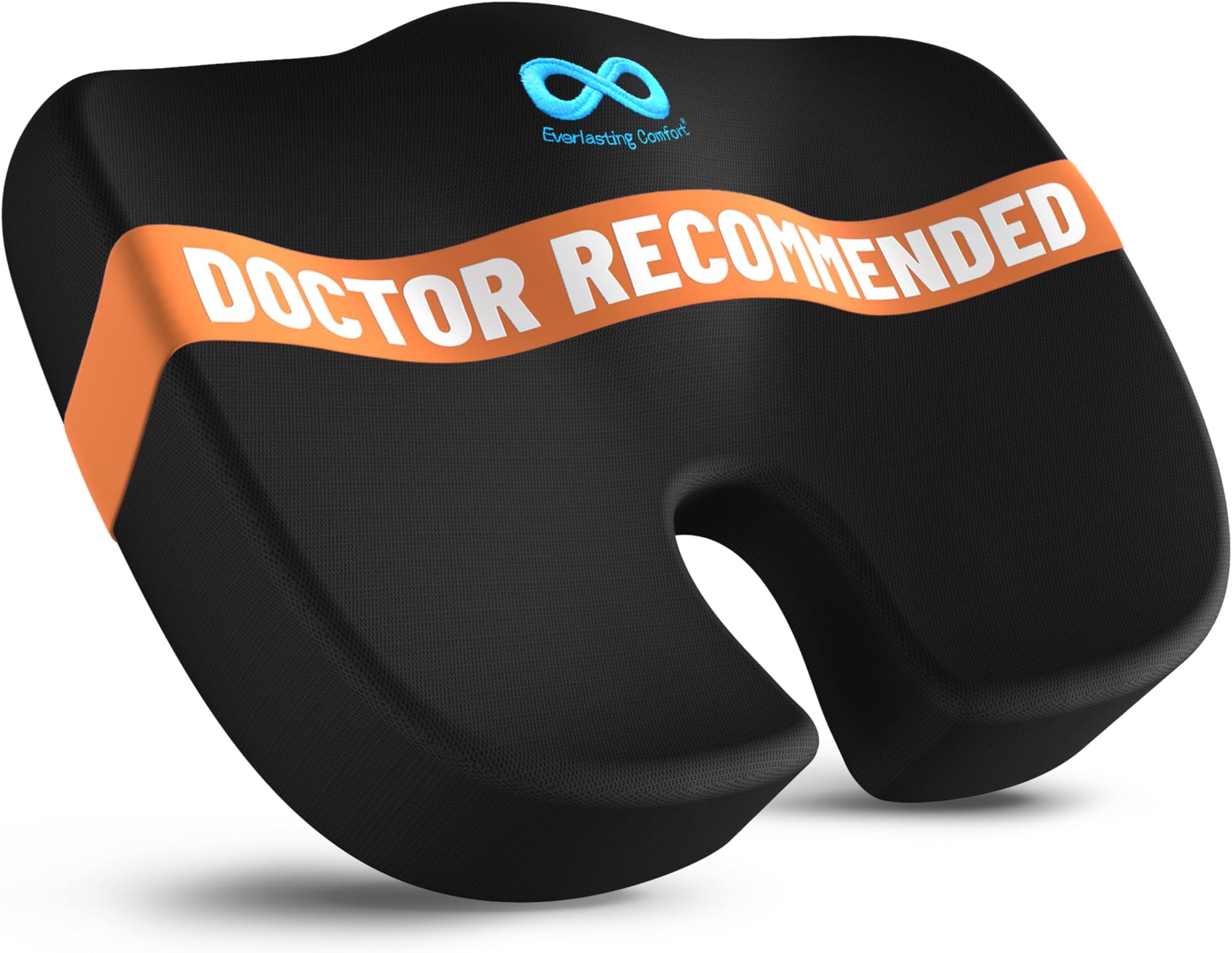
Everlasting Comfort Memory Foam Seat Cushion
If you sit for 8 hours a day, your chair's built-in cushion has probably given up on life. This U-shaped memory foam cushion has a coccyx cutout that relieves tailbone pressure and redistributes your weight evenly. The difference hits you on day one: that 3pm lower back ache just doesn't show up. Doctor-recommended with over 100,000 reviews. The non-slip bottom actually stays in place (unlike the towel you've been sitting on). Machine washable velour cover. It's the cheapest possible upgrade to an expensive chair problem.
Pros
- Doctor-recommended U-shaped coccyx cutout
- 100,000+ reviews with proven pain relief
- Non-slip bottom actually stays in place
- Machine washable velour cover
- Works on office chairs, car seats, and couches
Cons
- May feel too thick on already-cushioned chairs
- Memory foam can feel warm in summer
- Adds about 3 inches of height to your seat

HUANUO Single Monitor Arm Mount
Your monitor sitting on its factory stand is wasting desk space and probably at the wrong height. This gas spring arm lifts it off the desk entirely, freeing up the entire area underneath while positioning your screen at perfect ergonomic eye level. Tilt, swivel, rotate, and height-adjust with one hand. The gas spring mechanism means it stays exactly where you put it without sagging. Clamp or grommet mounting works on any desk. Rated for 20,000+ adjustments, which is about 5+ years of daily use. This is the upgrade with the biggest visual and ergonomic impact.
Pros
- Gas spring holds any position without sagging
- Frees entire desk space under the monitor
- Tilt, swivel, rotate, and height adjust with one hand
- Clamp or grommet mounting options
- Rated for 20,000+ adjustments (5+ year lifespan)
Cons
- Only fits VESA 75x75 and 100x100 monitors
- Clamp needs a desk edge at least 0.4 inches thick
- Heavy monitors (27"+) may need tension adjustment

KTRIO Extended Desk Mat Mouse Pad (31.5 x 15.7 in)
A full-desk mat changes the entire feel of your workspace. This 31.5 x 15.7 inch pad covers both your keyboard and mouse area with a smooth micro-weave surface that eliminates friction on your wrists. The stitched edges prevent fraying (the thing that kills cheap desk mats after 3 months), and the non-slip rubber base keeps it locked to your desk. Water-resistant surface means coffee spills wipe right off instead of staining. Under $10 for something that makes your desk look and feel premium. It's the best dollar-to-impact ratio on this list.
Pros
- Covers full keyboard + mouse area at 31.5 x 15.7 inches
- Stitched edges prevent fraying unlike cheap alternatives
- Water-resistant surface handles coffee spills
- Non-slip rubber base stays locked to desk
- Under $10 with 4.7 star average
Cons
- May curl at edges when first unrolled (flattens in 24 hours)
- Dark colors show dust
- Not thick enough for hardcore gaming mouse precision

Gimars Memory Foam Keyboard and Mouse Wrist Rest Set
If you type all day and your wrists ache by evening, you're damaging them slowly. This set includes both a full-size keyboard rest and a mouse pad rest, both with 1.2-inch ultra-thick memory foam that's at the optimal ergonomic height. Three-layer construction: non-slip rubber base, supportive memory foam core, and silky spandex fabric top. The fabric is water-resistant so sweat and spills wipe off. At $13 for the pair, there's no excuse to keep grinding your wrists on a bare desk edge.
Pros
- Includes both keyboard AND mouse wrist rest
- 1.2-inch ultra-thick memory foam at ideal height
- Three-layer construction with non-slip base
- Water-resistant spandex fabric top
- 44,000+ reviews proving long-term comfort
Cons
- Memory foam can flatten slightly after months of heavy use
- May not fit under very low-profile keyboards
- Fabric can pill after extended use
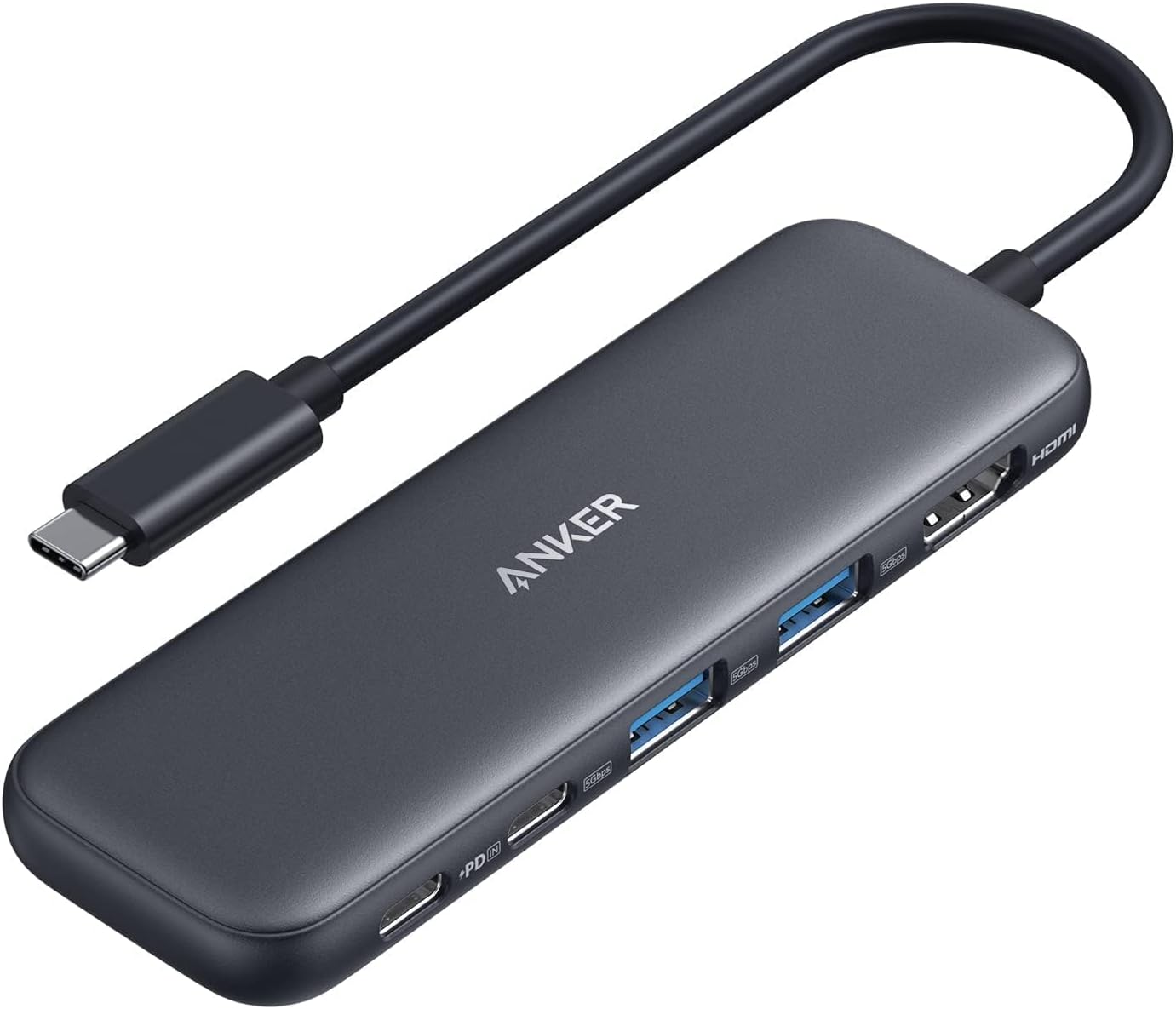
Anker 332 USB-C Hub (5-in-1) with 4K HDMI
One USB-C port becomes an entire workstation. Plug in a 4K HDMI monitor, two USB-A devices (keyboard, mouse, drive), a USB-C data device, and charge your laptop at 85W pass-through — all through this tiny hub. Anker's build quality and 18-month warranty mean it just works, unlike the cheap knockoffs that disconnect randomly. Compact enough to throw in a bag for coffee shop or coworking setups. If you have a USB-C laptop and an external monitor, this is the cable that replaces five cables.
Pros
- 4K HDMI + 2x USB-A + USB-C + 85W charging
- Anker reliability with 18-month warranty
- Compact and portable for travel
- Plug-and-play, no drivers needed
- Under $20 for a complete docking solution
Cons
- Only one HDMI output (no dual monitor)
- 85W pass-through means slight charging speed reduction
- USB-C cable is short (needs to be close to laptop)
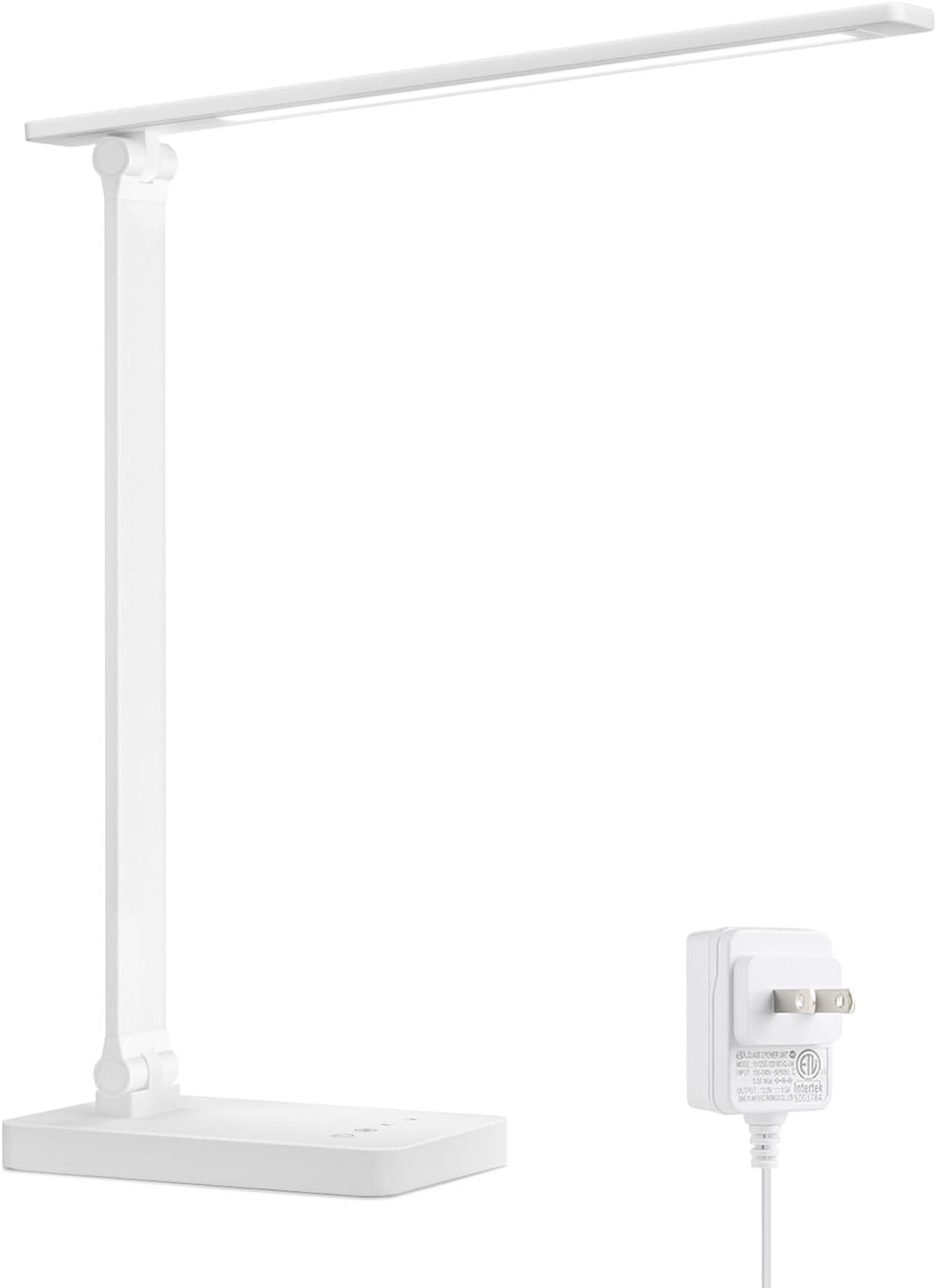
Lepro LED Desk Lamp (9.5W, 25 Light Modes)
Bad desk lighting causes eye strain, headaches, and terrible video call appearances. This lamp fixes all three. 25 lighting combinations (5 color temperatures x 5 brightness levels) let you match the light to your task: cool daylight for focused spreadsheet work, warm amber for evening reading, neutral white for Zoom calls. The metal construction feels premium and won't tip over. The flexible arm bends to any angle, and touch controls mean no fumbling for switches. At 800 lumens, it's bright enough for detailed tasks without flooding the room. Forbes vetted this lamp as one of the best.
Pros
- 25 light modes (5 temperatures x 5 brightness levels)
- Metal construction that won't tip
- Flexible arm adjusts to any angle
- Touch controls for effortless adjustment
- 800 lumens, bright enough for detailed work
Cons
- Not USB-C powered (uses proprietary adapter)
- Touch controls can be sensitive to accidental taps
- Base takes up some desk space
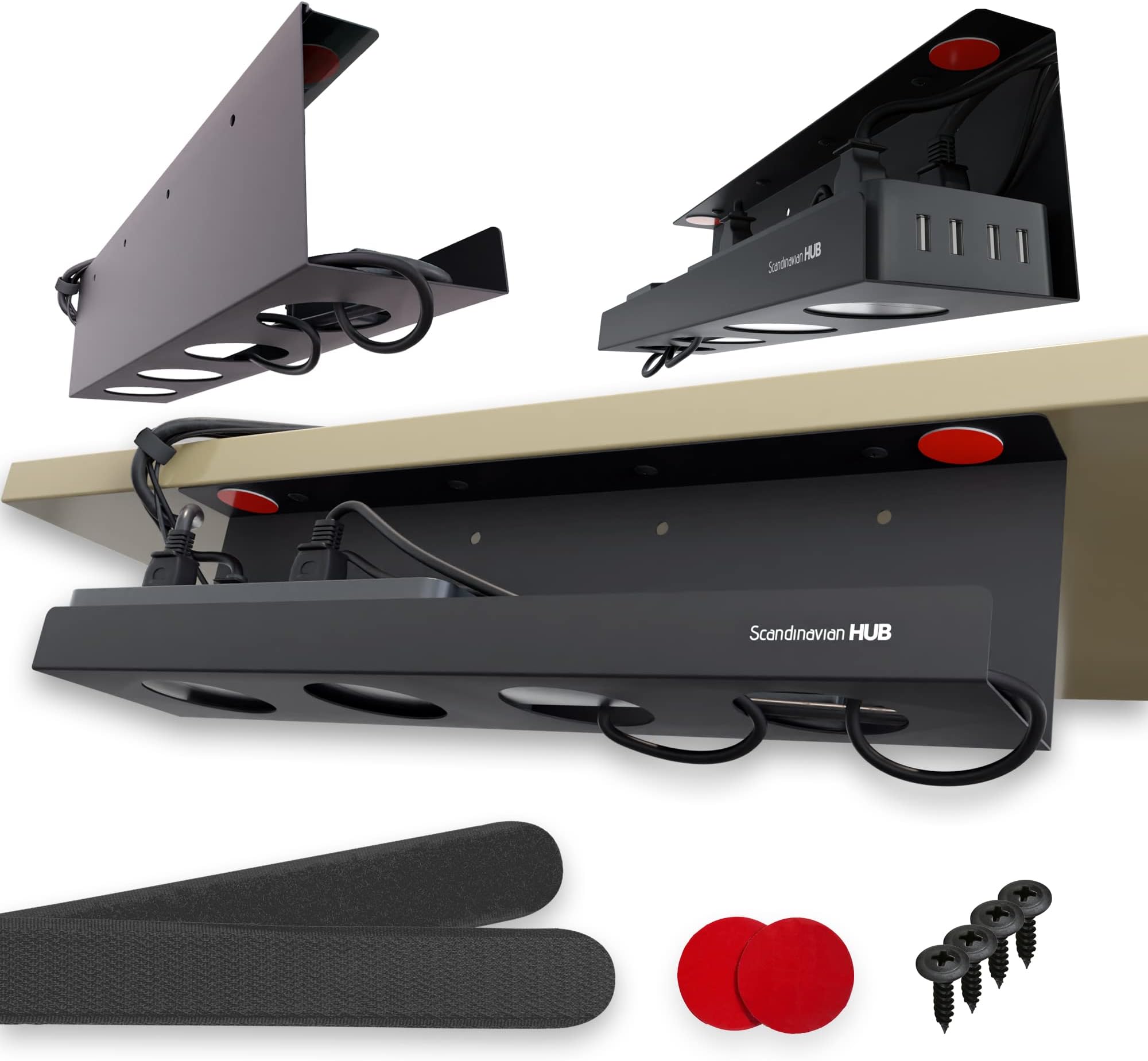
Scandinavian Hub Under Desk Cable Management Tray
Look under your desk right now. If it looks like spaghetti had a nervous breakdown, this tray fixes that in 15 minutes. The carbon steel basket mounts under your desk with strong adhesive (no drilling required) and holds your power strip, chargers, and cables completely out of sight. The powder-coated finish resists scratches and lasts years. It's the upgrade you don't notice until someone else sees your setup and asks how your cables are so clean. The mental clarity from a tidy workspace is the bonus nobody warns you about.
Pros
- No-drill adhesive mounting (no damage to desk)
- Carbon steel strongest material in its category
- Holds power strip, chargers, and all cables
- Powder-coated finish lasts years
- 15-minute install transforms entire setup
Cons
- Adhesive needs 24 hours to fully cure
- 17 inch tray may need two for very wide desks
- Not recommended for glass desks under heavy load

ErgoFoam Adjustable Under Desk Footrest
Most people don't realize their feet should be flat and slightly elevated while sitting. When your legs dangle or your feet sit flat on the floor with a chair that's too high, your lower back compensates and pays the price. This high-density foam footrest (not memory foam, which flattens) maintains its shape through months of daily use. The adjustable two-height design works whether you're 5'2" or 6'2". Chiropractor-endorsed and recommended by the New York Times. Breathable mesh cover is removable and washable. Lifetime replacement warranty from ErgoFoam.
Pros
- High-density foam that won't flatten (not memory foam)
- Two adjustable heights for any body type
- Chiropractor-endorsed and NYT recommended
- Breathable mesh cover is machine washable
- Lifetime replacement warranty
Cons
- Takes up floor space under desk
- May slide on hardwood floors without a rug
- Firmer than expected if you prefer soft foam

FDKOBE 4" Clip-On Video Conference Ring Light
You've seen those people on Zoom who look weirdly professional and you can't figure out why. This is why. A 4-inch ring light clips directly onto your laptop or monitor, putting soft, even illumination right at face level. Three color temperatures (warm, neutral, cool) and 10 brightness levels mean you can match any room. USB-powered from your laptop, so no extra outlets or batteries. Comes with a mini tripod for a second mounting option. At $14, it's the cheapest way to go from 'calling in from a basement' to 'has a professional studio setup.'
Pros
- Clips directly onto laptop or monitor
- 3 color temperatures and 10 brightness levels
- USB-powered from your laptop, no batteries
- Includes clip mount AND tripod stand
- Transforms video call appearance for $14
Cons
- 4-inch light may not be enough for large rooms
- Clip can scratch thin monitor bezels
- Not bright enough to serve as desk task lighting
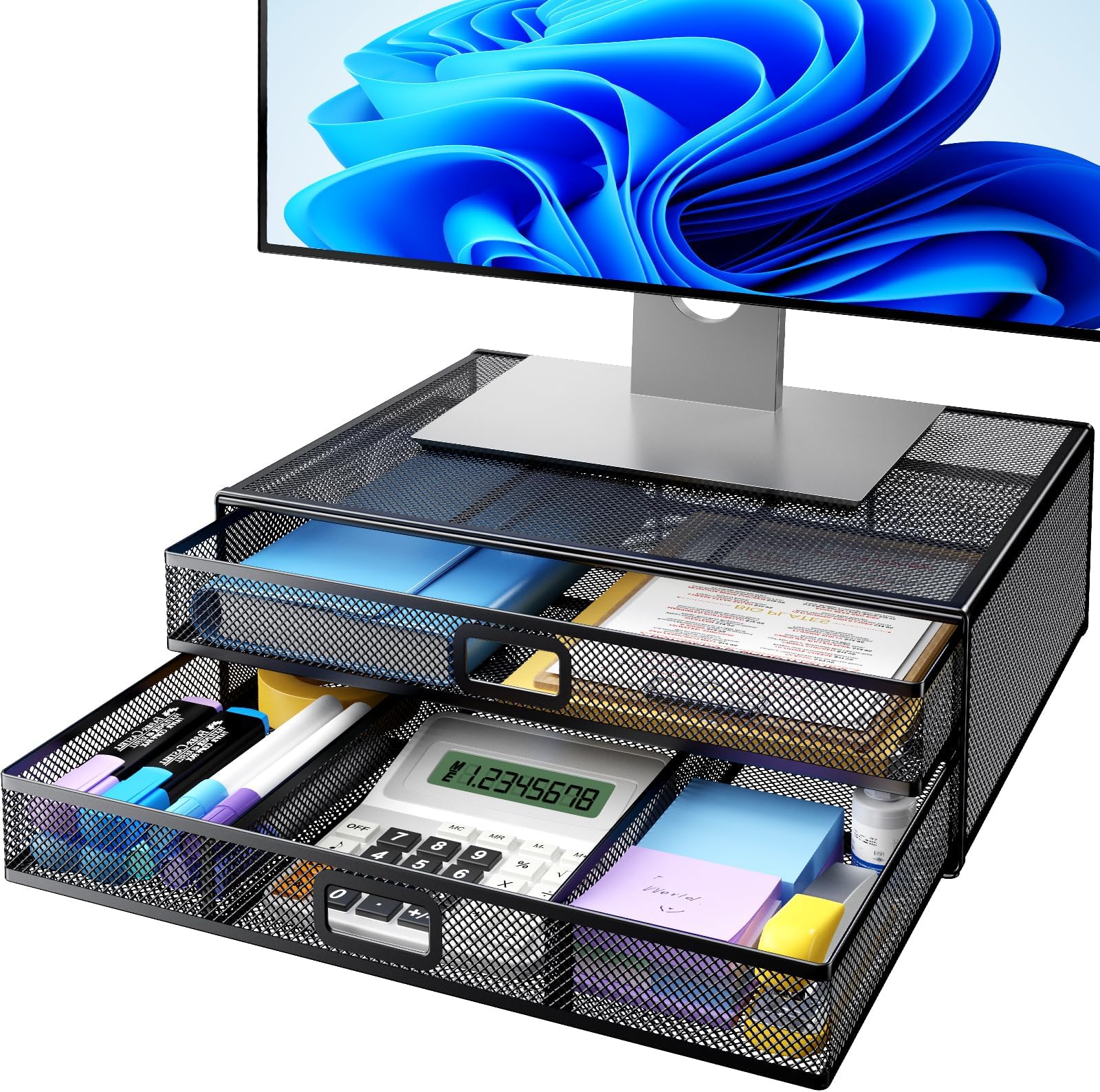
HUANUO 2-Tier Monitor Riser with Drawers
This solves three problems simultaneously: raises your monitor 4.6 inches to ergonomic height, creates hidden storage with two pull-out drawers, and frees up desk space by fitting your keyboard underneath when not in use. The metal mesh construction allows airflow to prevent overheating. It arrives fully assembled, which is the most underrated feature of any desk product. Take it out of the box, put it on your desk, done. The drawers hide pens, sticky notes, chargers, and the random clutter that makes desks look chaotic. Organization and ergonomics for $27.
Pros
- Raises monitor 4.6 inches to eye level
- Two pull-out drawers hide desk clutter
- Keyboard fits underneath when not in use
- Arrives fully assembled, zero setup
- Metal mesh allows airflow for electronics
Cons
- Only supports monitors up to 32 lbs
- Drawers are shallow (small items only)
- Metal mesh can feel cold to the touch
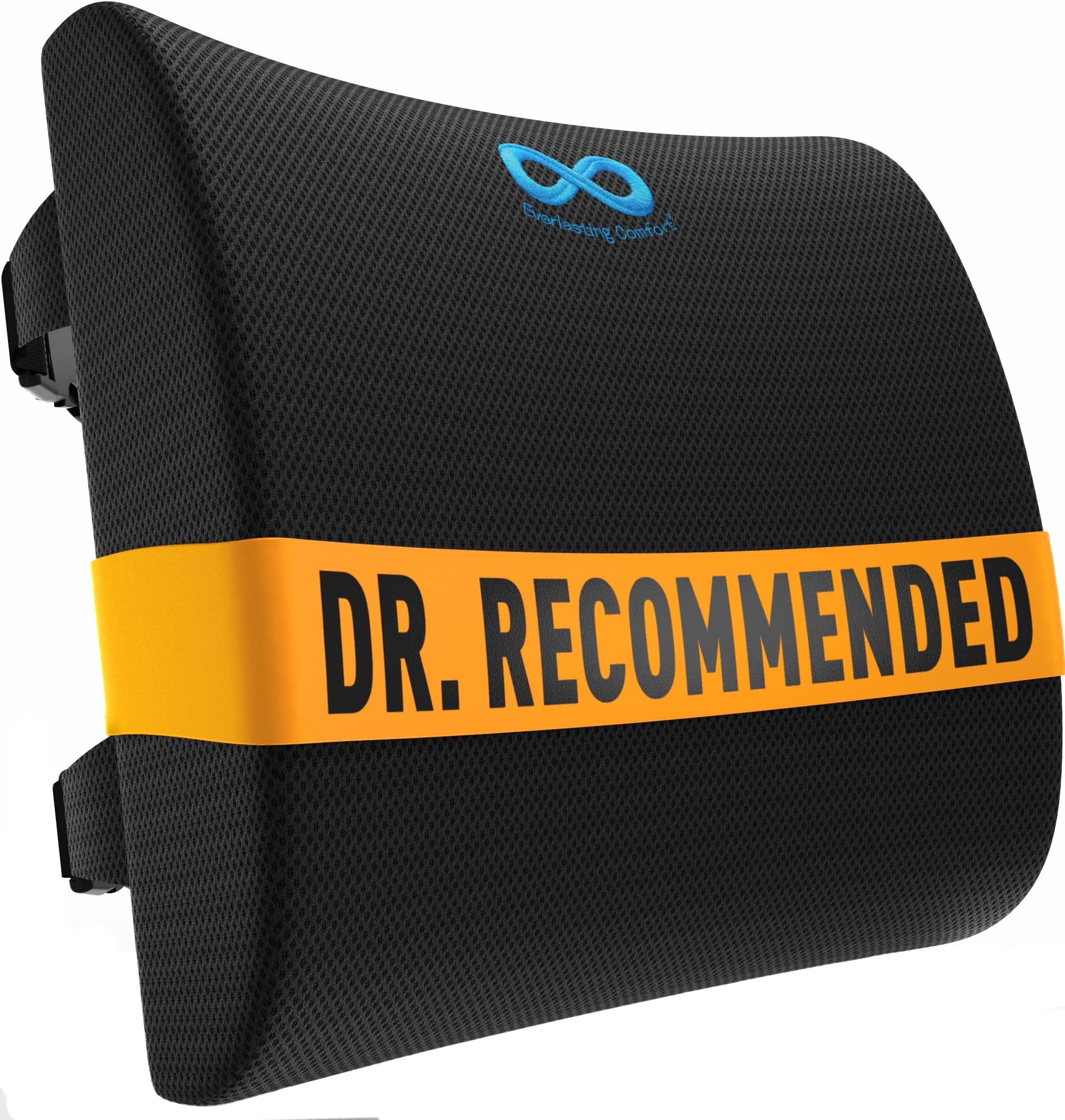
Everlasting Comfort Lumbar Support Pillow
This pillow turns any $100 office chair into one that supports your lower back like a $500 ergonomic chair. Pure memory foam contours to the natural curve of your spine and maintains proper posture without you having to think about it. Dual adjustable straps plus an extension strap fit virtually any chair, including gaming chairs and car seats. The breathable mesh cover is hypoallergenic and machine-washable. People who've had chronic lower back pain from desk work report significant relief within the first week. At $30, it's a fraction of the cost of replacing your entire chair.
Pros
- Pure memory foam contours to your spine curve
- Dual adjustable straps fit any chair type
- Breathable mesh cover is machine washable
- 12,600+ reviews with consistent pain relief reports
- Works on office chairs, car seats, and gaming chairs
Cons
- May feel too thick for chairs with existing lumbar bumps
- Memory foam warms up with body heat
- Straps can slip on leather chairs
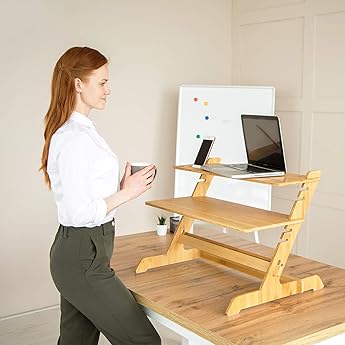
Crew & Axel Bamboo Standing Desk Converter
You've heard standing desks are better but you're not ready to drop $400 on a motorized desk. This bamboo converter sits on your existing desk and gives you a two-tier standing workstation in seconds. Monitor on top, keyboard on the lower shelf. Multiple height positions let you dial in the perfect standing height. Natural bamboo construction looks great and is sturdy enough for dual monitors. Built-in phone slot and cable management cutouts. The cheapest way to try standing desk life without committing to replacing your entire desk. Most people who try it never go back to sitting all day.
Pros
- Converts any desk to sit-stand for $70
- Natural bamboo looks premium and sturdy
- Two-tier design for monitor and keyboard
- Multiple height positions for any body type
- Built-in phone slot and cable cutouts
Cons
- Most expensive item on this list at $70
- Takes up desk space even when sitting
- Manual height change (not motorized)
Frequently Asked Questions
I already have an ergonomic chair. Do I still need the seat cushion and lumbar pillow?
If your chair already has good lumbar support and a comfortable seat, you can skip those. But most home office chairs under $300 have mediocre lumbar support and seats that flatten over time. The cushion and pillow upgrade a cheap chair to feel like a premium one for $75 combined instead of buying a whole new chair.
Can I use the monitor arm with a laptop instead of a monitor?
Not directly. Monitor arms use VESA mounting, which laptops don't have. For laptops, the standing desk converter or monitor riser will elevate your screen. If you use a laptop with an external monitor, the arm is perfect for the monitor while the laptop sits on the riser below.
Is the standing desk converter worth it if I already have a regular desk?
If you experience afternoon fatigue or back stiffness from sitting all day, yes. Even standing for 15-20 minutes per hour makes a measurable difference in energy and focus. The Crew & Axel converter is the cheapest way to try standing without committing to a $400+ motorized desk. If you love it, upgrade later. If not, you spent $70 instead of $400.
What's the minimum I should buy for the biggest improvement?
Three items will fix 80% of common WFH problems: the monitor arm or riser (neck pain), the seat cushion or lumbar pillow (back pain), and the desk lamp (eye strain and video call quality). That's about $85-$100 total and addresses the three things that degrade most over an 8-hour workday.
Will the cable management tray work with a standing desk?
The Scandinavian Hub tray uses adhesive mounting, which works on standing desks. However, make sure the cables have enough slack to handle the desk going up and down. Some people use two trays (one near the desk, one near the wall) with longer cables to accommodate the movement.
Do I really need a separate ring light if my room has good natural light?
Natural light is great but inconsistent. It changes throughout the day, varies with weather, and usually comes from the side or behind you rather than facing you. The ring light provides consistent, front-facing illumination for $14. Even people with good room lighting report looking noticeably better on calls with the added light.
Continue Reading
The Memorial Day Buying Playbook: Real Deals vs Fake Discounts
Which categories deliver genuine Memorial Day savings, which ones to skip until Prime Day, and how to tell the difference.
12 min readSt. Patrick's Day: What Nobody Told You and How to Actually Celebrate It
The original color was blue, not green. Corned beef is not Irish. Pubs in Ireland were closed on March 17 until the 1970s. Here is the real story behind the holiday — plus authentic recipes, traditions, and the best deals happening this year.
14 min readK-Beauty Under the Microscope: 10 Korean Skincare Products Backed by Ingredient Science
We broke down the actual ingredients, clinical research, and real user results behind the most hyped K-beauty products. Here's what the science says — and what's just marketing.
14 min readMother's Day 2026: Thoughtful Amazon Gifts She'll Actually Keep (Not Return)
We matched 12 top-rated Amazon gifts to 12 different mom personalities. Whether she's a bookworm, a fitness junkie, or a skincare enthusiast, this guide helps you pick the one gift she won't return.
12 min readNever Miss the Best Price
Get buying guides and deal alerts timed to when prices actually drop lowest.
Get Monthly Deal Alerts